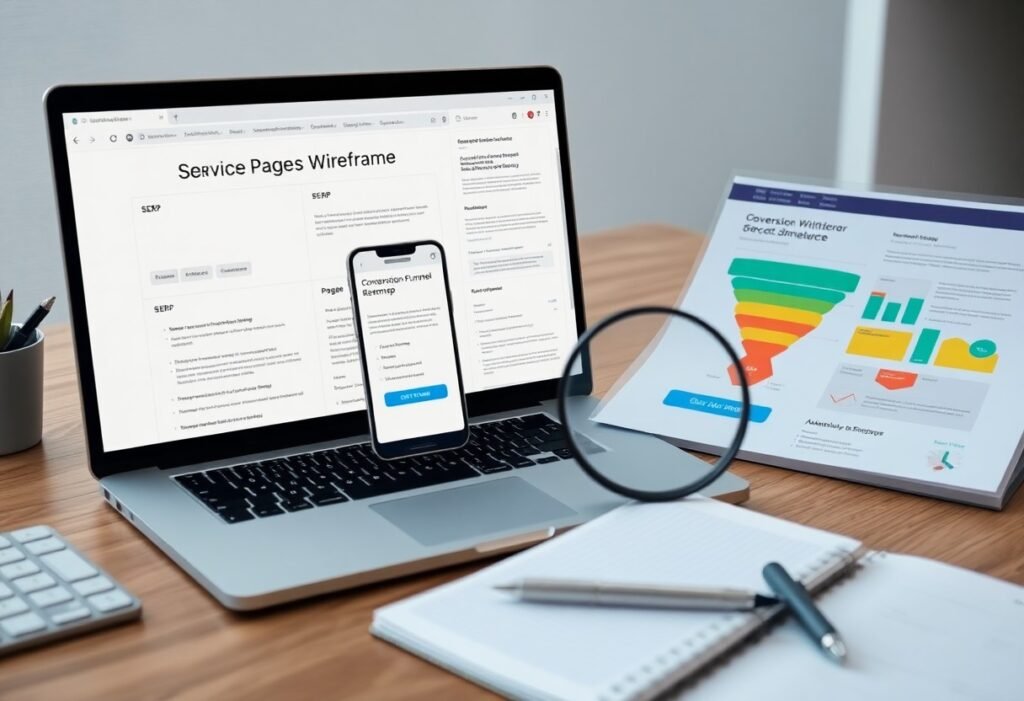

This guide shows you how to assess your site’s real impact on revenue. If your website confuses visitors or fails to convert, it’s hurting your business. Clear messaging, fast load times, and intuitive navigation boost sales. You need to track user behavior and refine what isn’t working.
Key Takeaways:
- Your website should make it easy for visitors to find what they need within seconds. If users can’t quickly locate products, services, or contact information, they’re likely to leave and choose a competitor instead.
- Clear calls to action guide visitors toward the next step, whether it’s making a purchase, signing up, or requesting a quote. A lack of visible or compelling CTAs can stall sales progress.
- Slow loading times and poor mobile performance damage user trust. If your site lags or breaks on phones and tablets, you’re losing potential customers who expect fast, reliable access.
Auditing Your User Experience (UX)
Every click your visitor makes tells a story about your website’s effectiveness. If users hesitate, backtrack, or leave without converting, your UX may be silently sabotaging sales. A thorough audit reveals whether your design guides people naturally toward purchase or creates confusion that drives them away. Clear, intuitive experiences turn interest into action.
Identifying Friction Points in the Customer Journey
Watch where users pause, scroll back, or exit-these are red flags in their journey. Forms that take too long, unclear calls to action, or missing information create frustration. Each obstacle increases the chance they’ll abandon your site. You’re not guessing; analytics and session recordings show exactly where momentum dies.
Assessing Navigation Clarity and Page Load Speeds
Confusing menus or slow-loading pages erode trust in seconds. If visitors can’t find what they need quickly, they’ll leave. Pages that take over three seconds to load see significantly higher bounce rates. Simple navigation and speed aren’t just convenient-they’re crucial for keeping potential buyers engaged.
Navigation should feel effortless-users must reach key pages in two or three clicks. Drop-down menus, search bars, and logical labeling reduce cognitive load. Pair this with optimized images and clean code to ensure fast load times. When clarity and speed work together, conversion paths become frictionless. Test across devices to confirm consistency, because mobile users demand even faster performance.
Analyzing Conversion Rate Optimization (CRO) Factors
Every element on your site influences whether visitors become customers. Key conversion rate optimization factors include page load speed, user experience, content clarity, and trust signals like testimonials. A/B testing reveals what resonates. Perceiving subtle shifts in behavior helps refine your approach.
- Test button colors and placement for higher engagement
- Optimize form fields to reduce friction
- Use clear headlines that align with visitor intent
- Ensure trust badges are visible at checkout
How to Evaluate Call-to-Action Effectiveness
Your call-to-action should stand out and prompt immediate action. Weak wording or poor placement kills momentum. Track click-through rates and observe where users drop off. Perceiving what drives clicks helps you refine messaging for better results.
Measuring the Impact of Mobile Responsiveness
Over half your traffic likely comes from mobile devices. If your site isn’t mobile-responsive, you’re losing sales silently. Pages that misalign or load slowly frustrate users. Perceiving mobile behavior patterns reveals hidden conversion barriers.
Mobile responsiveness affects more than just appearance-it shapes the entire user journey. Slow load times, unclickable buttons, or zooming struggles lead directly to abandonment. Google also prioritizes mobile-friendly sites in search rankings, so poor performance impacts visibility. Monitoring bounce rates and session duration on mobile devices gives real insight into how well your site supports on-the-go users.
Tracking Essential Sales Metrics and KPIs
You need to measure what truly impacts revenue. Conversion rate, average order value, and customer acquisition cost reveal whether your site drives profitable behavior. Ignoring these numbers leaves you guessing-while competitors optimize. Track them consistently to see if your website is helping or hurting sales.
Monitoring Bounce Rates and Exit Pages
Bounce rates show how often visitors leave without interaction. A high bounce rate on key pages may signal poor messaging or slow load times. Review exit pages to spot where users drop off. If your pricing or checkout page has high exits, fix clarity issues fast.
Interpreting Shopping Cart Abandonment Data
Cart abandonment highlights friction in your checkout process. Over 70% of users abandon carts on average, but sudden spikes indicate problems. Hidden fees, mandatory accounts, or technical glitches could be pushing customers away. Track this metric closely to protect conversions.
When analyzing cart abandonment, look beyond the number. Identify at which step users leave-shipping costs, payment entry, or account creation. A spike after adding shipping fees means transparency is lacking. Streamline the process, remove distractions, and offer guest checkout to recover lost sales. Each reduction in abandonment directly boosts revenue.
How to Use Heatmaps and User Recordings
Heatmaps and user recordings reveal how visitors interact with your site in real time. You see exactly where they click, scroll, and hesitate-exposing friction points that data alone can’t show. This visual insight turns guesswork into action, helping you optimize layouts, CTAs, and content flow based on actual behavior.
Visualizing Where Potential Customers Get Stuck
Red clusters at the bottom of a page might look good, but if they’re below your call-to-action, visitors are missing key offers. Heatmaps highlight where users stop scrolling or repeatedly click non-clickable elements, signaling confusion. Spotting these drop-off zones lets you reposition critical content and reduce abandonment.
Gathering Qualitative Feedback via On-Site Surveys
Ask visitors directly why they’re leaving or what’s missing-right when they’re experiencing it. A simple pop-up question like “What did you come here to do?” captures real intent. Unfiltered responses expose gaps in messaging, navigation, or trust that analytics can’t detect.
On-site surveys work best when timed strategically, such as when a user shows exit intent or after spending a certain time on a page. Keep questions short and specific to increase response rates. The answers often reveal surprising objections-like pricing concerns or missing product details-that you can address immediately to improve conversion. Real-time feedback turns passive browsing into a conversation that drives change.
Technical Factors Influencing Search Visibility
Your site’s loading speed, mobile responsiveness, and indexability directly impact whether search engines can find and rank your pages. Broken links, missing meta tags, or poor URL structure weaken visibility. Perceiving these signals helps you identify hidden barriers limiting traffic and conversion potential.
- Page speed affects both rankings and user retention
- Mobile optimization is non-negotiable for search visibility
- Structured data improves how your content appears in results
- Crawl errors can silently block pages from search engines
How SEO Performance Correlates with Sales Volume
Higher rankings often lead to increased organic traffic, but only relevant clicks drive sales. If your target keywords match customer intent, you’ll see a clear link between SEO growth and revenue. Perceiving this pattern helps you focus on what truly converts.
Auditing Security Features to Ensure User Trust
Customers hesitate to buy from sites without visible security. An expired SSL certificate or missing HTTPS tag triggers browser warnings that kill trust. Perceiving your site through a visitor’s eyes reveals gaps that could be costing you sales.
Running regular checks on your SSL encryption, secure checkout process, and third-party script integrity protects both data and credibility. A single vulnerability can lead to breaches or lost transactions. Seeing your site as a buyer does means recognizing that security isn’t just technical-it’s psychological. Confidence starts before the first click.
Conclusion
Following this guide, you now know how to assess whether your website supports or undermines your sales. You track user behavior, analyze conversion paths, and measure engagement with clear metrics. Your site either guides visitors toward a purchase or creates friction-your data reveals which. Adjust based on evidence, not assumptions, and your website becomes a proven sales asset.