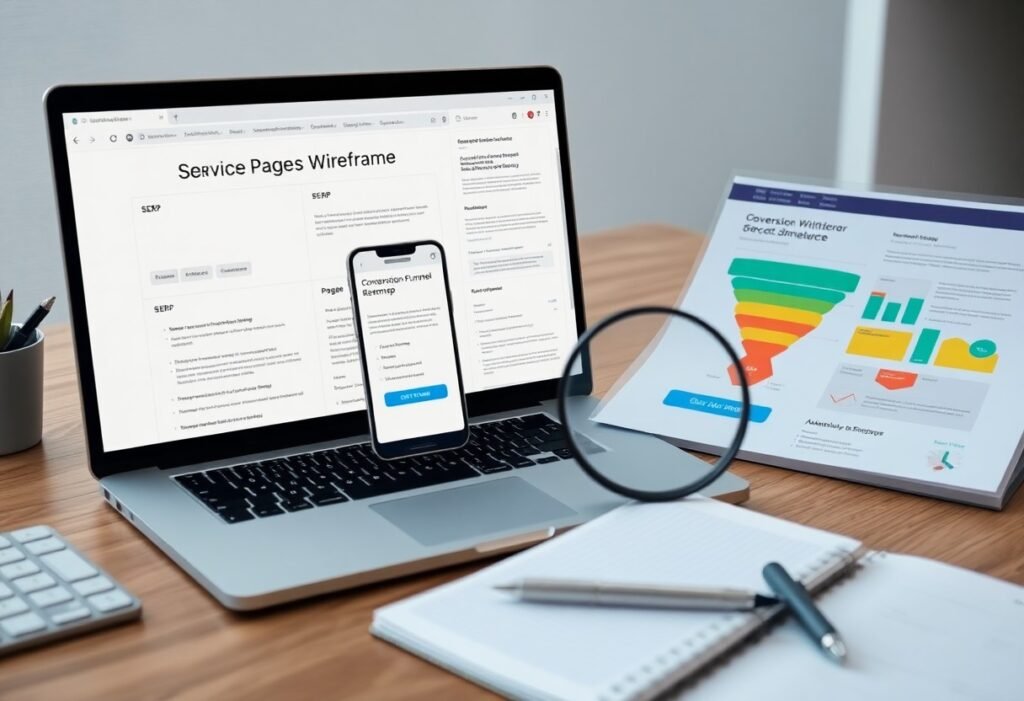
Visibility improves when you publish city-based pages that target local keywords; you should optimize content and citations because failing to do so can cost organic traffic, while city-specific pages boost local rankings and drive qualified leads.
Just creating city-specific pages helps you capture local searches and increase organic visibility, giving you more targeted customers; but thin or duplicate content can backfire, so optimize each page uniquely.
Why city-based pages improve local discoverability
City-based pages help you appear in local search by matching geographic intent and providing hyper-relevant content for nearby customers, increasing the chance you show up when people search with local intent.
Targeted keyword relevance for city searches
Targeted city keywords let you align page copy and meta tags with a searcher’s location, so you attract more qualified traffic and clearly signal city relevance to search engines.
Increased visibility in local pack and map results
Maps listings often appear above organic results; optimizing city pages boosts your chance to appear in the local pack and on maps, driving more calls and visits from nearby searchers.
Additionally, you should link each city page to a verified Google Business Profile, include consistent NAP, add structured data, and embed maps so engines match pages to queries; inconsistent citations or duplicated content can hurt visibility, so you must maintain unique, location-specific info and collect local reviews.
Why city pages matter for local search
When you create dedicated city pages, search engines better understand local relevance, boosting visibility for area-specific queries and connecting you with high-intent local customers through tailored content and structured data signals.
Matching local intent and query signals
Since users append city names or “near me”, your pages should mirror those terms and include localized keywords, addresses, and service details to signal matching intent and increase click-throughs.
Enhancing relevance for proximity-based ranking
Optimizing each city page for distance factors and clear NAP data helps search engines weigh proximity, giving you an edge in local packs when users search from nearby devices.
Additionally, you should include structured schema, exact coordinates, and localized content so distance algorithms accurately assess proximity; consistent citations and mobile-friendly pages further increase your visibility for nearby searches.
Content strategies for city pages
Focus your city pages on concise, location-specific content that aligns with local search intent; prioritize local keywords, clear NAP, and easy navigation to boost visibility.
Creating unique, locally relevant content
Tailor each page so you address neighborhood concerns, mention landmarks, and include unique details that both search engines and local users find valuable.
Service pages, FAQs, and localized resources
Structure service pages and FAQs to answer local queries, giving you clear services, pricing cues, and contact paths so users can act quickly.
Include FAQ schema, location-specific images, case studies, and downloadable guides so you improve click-throughs and conversions; link to neighborhood pages and use internal anchors to signal relevance to search engines.
How city pages signal relevance to search engines
When you create city pages with tailored content, search engines detect geographic signals – local keywords, addresses, and intent – which boosts relevance for nearby searches and improves local visibility.
NAP consistency, schema markup, and citations
Ensure your NAP is identical across listings, add schema markup for structured data, and maintain consistent citations so search engines trust your location and display accurate results.
Geo-specific backlinks and internal linking patterns
Local backlinks from city sites and targeted internal links signal authority; avoid spammy or low-quality links and favor high-authority local links to strengthen geographic relevance.
Strategically seek contextual links from local news, business directories, and partners, use varied anchor text, and internally link city pages from relevant service pages to create topical silos; prioritize quality over quantity and monitor for spammy backlinks that could harm your rankings.
On-page and technical SEO
Optimize your city pages for both content and code: prioritize fast load times, mobile usability, and clear structured data so search engines interpret local relevance.
Titles, meta descriptions, and local schema
Craft titles and meta descriptions that include the city and service, keeping them concise and unique; implement LocalBusiness schema to increase visibility and enable rich snippets for local queries.
URL structure, canonicalization, and hreflang
Structure URLs to reflect city pages, use rel=canonical to prevent duplicates, and apply hreflang for language or regional variations so users see the correct localized content.
Ensure your URL strategy is consistent: prefer readable, city-specific slugs (e.g., /seattle/plumber/), avoid session or tracking parameters, and choose one preferred host and protocol. You must set a self-referential rel=canonical on each version, and implement hreflang either in the page head or sitemap; misconfigurations can misdirect search signals and harm local rankings.
User experience and conversion advantages
Optimizing city pages gives you faster paths to action, improved navigation, and higher conversion rates by matching local intent and reducing search friction for visitors.
Localized content that builds trust
Local pages let you speak directly to residents, using neighborhood names, events, and specifics that build trust and prompt you to choose nearby services over generic alternatives.
Clear intent-driven CTAs (directions, calls, bookings)
Clear CTAs guide you to act: directions, calls, and bookings placed prominently cut hesitation and increase the likelihood you convert on the spot.
Strategically place CTAs near local signals – click-to-call, map embeds, and reservation widgets – so you capture intent moments when users are ready to act. You should design mobile-first, label actions clearly, and add local schema to increase visibility. Poorly placed or vague CTAs can cause lost conversions, while concise, intent-driven actions drive immediate bookings and measurable lifts in phone leads.
Local citations and business listings
Centralize your listings across major directories so searchers and engines find each city page; accurate, localized citations amplify relevance and local rankings.
NAP consistency and authoritative directories
Maintain exact NAP across platforms and prioritize authoritative directories to improve trust; inconsistent entries can fragment your visibility.
Managing reviews and local reputation
Respond promptly to reviews, thanking positives and addressing negatives to demonstrate care; active review management boosts local reputation and conversions.
Monitor reviews across platforms with alerts and a central dashboard so you can respond within 24-48 hours. Use personalized templates for speed, encourage satisfied customers to leave honest feedback, and politely dispute fraudulent entries. Integrate top reviews on each city page with schema to improve click-throughs and maintain a consistent team voice to protect your local reputation.
Content strategy for effective city pages
Optimize your city pages with focused local keywords, concise descriptions, and clear calls-to-action so you increase visibility across searches and maps; ensure each page answers user intent and signals local relevance to search engines.
Balancing templates with unique local content
Balance scalable templates with tailored paragraphs, unique images, and neighborhood specifics so you keep efficiency without losing authenticity; you should customize headings and meta for each city’s voice.
Leveraging local events, testimonials, and FAQs
Leverage local events, testimonials, and FAQs to build trust, boost engagement, and capture long-tail queries; highlight recent events and positive reviews to increase conversions, and update content regularly.
Integrate event calendars, short testimonial excerpts, and concise FAQs with structured data so you boost visibility in rich results and voice search; you should timestamp updates, link to local partners, prompt for reviews on location, and fix any outdated information quickly to protect user trust and conversion rates.
Site architecture and scalability
Scalable templates vs. bespoke city pages
When you choose scalable templates, you speed deployments and keep consistent SEO signals, while bespoke city pages can offer nuance for top markets but increase maintenance and duplication risk.
Internal linking, navigation, and crawl efficiency
While strong internal linking and clear navigation guide users and distribute authority, poor structures waste your crawl budget and hide pages from search.
Ensure you design an internal-linking strategy that creates thematic siloing and hub pages so search engines can easily surface local content; avoid deep nesting and excessive footer links that drain your crawl budget and create orphan pages. Use descriptive anchor text, consistent breadcrumbs, and an updated XML sitemap with canonical tags to consolidate signals and improve crawl efficiency.

Technical and SEO implementation
Implementing solid technical SEO ensures city pages are discoverable, indexable, and fast, helping you outrank broader pages. Focus on structured data, clean sitemaps, and regular audits so search engines find and serve your local content to the right users.
URL structure, canonicals, and pagination
Structure URLs to include the city slug and service, use canonical tags for duplicates, and apply pagination best practices so you don’t dilute ranking signals across similar pages.
Mobile performance, site speed, and crawl budget
Optimize mobile performance and speed because Google indexes mobile first; you must prioritize responsive layouts, fast TTFB, and lean JavaScript to protect your crawl budget and user experience.
Additionally, audit pages with Lighthouse and Search Console to track Core Web Vitals, then remove render-blocking resources, inline critical CSS, and defer nonvital scripts. You should use responsive images (srcset, sizes), lazy-loading, HTTP/2, and compressed assets to reduce TTFB. Avoid excessive faceted URLs and heavy JavaScript that waste crawl budget; prefer server-side rendering or pre-rendering where possible. Implement CDN and caching, set long cache lifetimes for static assets, and monitor crawl stats and server logs to spot indexing or performance issues early.
Measurement and optimization
Measure local page performance so you can spot trends, test content variants, and prioritize changes that increase visibility and conversions while minimizing wasted spend.
KPIs, analytics, and conversion tracking
Track organic and local KPIs-organic traffic, click-through rate, map views, phone calls, and conversions-to judge page impact, attribute ROI, and guide content or ad spend decisions.
Auditing for thin content and duplicate pages
Audit your site to find thin content and duplicate pages, then consolidate, enrich, or canonicalize them to prevent ranking dilution and wasted crawl budget.
Additionally, use a crawler and Search Console to identify low-value pages by traffic, engagement, or index status; prioritize fixes by impact, then enrich pages with local details and reviews, 301-redirect duplicates, or apply canonical or noindex tags to stop dilution, re-measuring to confirm restored rankings and improved crawl efficiency.
Measuring impact and scaling responsibly
Evaluate your city pages by tying activity to business outcomes: use experiments, phased rollouts, and thresholds before broad deployment. Focus on measurable uplift and watch for duplicate content risks that can harm rankings.
KPIs: rankings, local traffic, and conversions
Track your rankings, local traffic, and conversions with segmented reports; prioritize metrics that tie to revenue. Use conversion rate, assisted local searches, and organic lifts to decide which pages to scale.
Automation, templating safeguards, and quality checks
Automate repetitive tasks but enforce templates, require you to vary content, and keep editorial review to prevent thin or duplicate pages. Guard templates with content quality rules and staging checks before publishing.
Validate every automated page via scripts that check your NAP consistency, schema markup, unique content thresholds, and similarity scores; require human review for exceptions, run A/B tests on sample cities, and throttle bulk publishing to avoid search penalties.
Final Words
Conclusively you should use city-based pages to target local search intent, improve relevance for nearby queries, attract high-converting traffic, and build local authority through specific content and structured location signals that increase your visibility.
Summing up
Summing up, you boost local search presence and drive targeted traffic by creating city-based pages that match user intent, improve local SEO signals, and offer tailored content, making it easier for customers in specific areas to find and choose your business.